








Skip to content

Run Merchant

Invoicing, built in.

Create an invoice, send a link, and get paid by card or ACH. Your customers pay in a few taps, with no login and no account to create.

Get startedBuild an invoice

Bill in minutes.Follow it all the way to funding.

  • Line-item builder
  • Editable tax
  • Hosted Pay Now page
  • Card and ACH
  • Status and aging
  • Optional surcharge
  • Lower B2B interchange
  • Out the door in minutes

    Pull items from your catalog, set a default tax rate, and adjust any line. Run Merchant does the math and builds the PDF for you.

  • Paid without the back-and-forth

    Customers open the link, view the invoice, and pay by card or ACH on a hosted Pay Now page. No login and no account to create.

  • Know what’s paid and what’s late

    Status and aging update on their own from draft to paid. Every paid invoice posts to your reporting, tagged Invoice Payment.

Built for businesses that bill after the work is done.

If you quote, deliver, then bill, the invoice is how you get paid. Send it from the same place you take every other payment, and stop juggling a separate tool.

A great fit for

  • Home and field servicesInvoice when the crew wraps up, with a link to pay that same day.
  • Professional servicesItemize hours and fees, tax only the lines that need it, and send a clean PDF.
  • Wholesale and distributionPull items and pricing from your catalog, and take larger orders by ACH.
  • Medical, dental, and veterinary practicesBill the remaining balance with a link patients can pay from home.
  • Agencies and creative studiosInvoice by project or milestone, and see when the client opens it.

Try it

Build the invoice. See what your customer sees.

Set a default tax rate, add line items, adjust tax on any line, and choose how your customer can pay. The Pay Now page on the right updates as you go.

Bill as
Default tax rate
Line items from your catalog · tap a line’s tax to adjust it
  • Spring cleanup$180.00 per visit3
  • Mulch$45.00 per yard4
  • Hedge trimming$95.00 per visit0
  • Design consult$150.00 per hour1
Customer can pay by
Due
Credit card surcharge
Your customer’s Pay Now pageSecure link, no login
Oakline LandscapingInvoice INV-1048 for Dana WhitfieldDue Dec 16
  • Spring cleanup × 3$540.00
  • Mulch × 4$180.00
  • Design consult × 1$150.00
Subtotal$870.00
Tax 7% on $720.00$50.40
Total due$920.40
Card number1234 5678 9012 3456Expiration and CVCMM / YY CVC
Pay $920.40

3 line items at a 7% default tax rate, 1 line adjusted, payable by card or ACH. When Dana pays, the payment posts to your Run Merchant reporting tagged Invoice Payment.

Send invoices like this

Invoicingis just the start.

Same account. Same dashboard. Every other way you get paid.

Explore Run Merchant
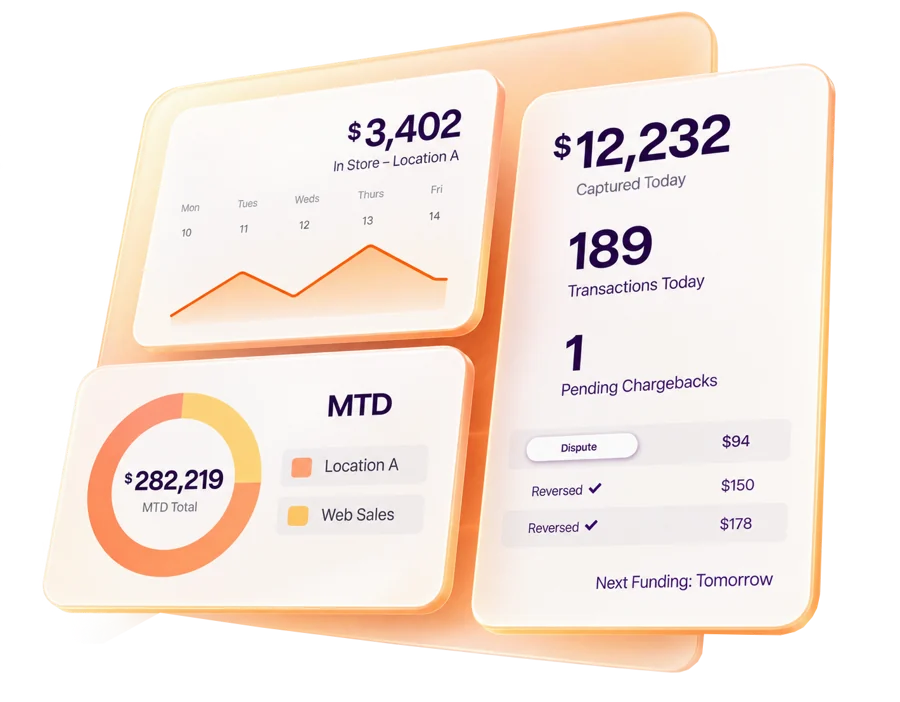
Run Merchant dashboard showing in-store sales, captured payments, transactions, chargebacks, and month-to-date totals

Questions and Answers

What is Run Merchant Invoicing?

Invoicing built into your Run Merchant dashboard. Create, send, and track invoices, then follow each payment through funding without a separate billing tool.

How do customers pay?

They open the link in their email, view the invoice, and pay by card or ACH on a hosted Pay Now page. They don’t need an account or a login.

What if a payment is declined?

The customer can try again with another payment method. If a processing error stops the payment, the invoice stays open and can still be paid.

Can I pass on processing costs?

Run Merchant supports a configurable surcharge on credit card payments, where your surcharge program allows it. Debit card and ACH payments aren’t surcharged. Talk to us about what fits your business.

Can I lower my processing costs on business cards?

Yes. When a customer pays with a commercial card, Run Merchant can send the invoice’s line items as Product 3 data under Visa’s Commercial Enhanced Data Program (CEDP). Qualifying payments can get lower interchange rates, which matters most when you bill other businesses.

Can I see who’s paid and who’s late?

Every invoice carries a status from draft to paid, and aging shows what’s overdue at a glance. Resend any invoice with your last pre-filled message.

Where do paid invoices show up?

In your Run Merchant transaction reporting, next to the rest of your payments, with Invoice Payment as the source. One source of truth for invoicing and payments.

Can I use my product catalog?

Yes. Pick an item and the catalog fills in its name, price, and unit of measure. You can also key in a line item by hand.

How much does it cost?

Invoicing is included with your Run Merchant account. Processing is priced for your volume, so tell us how you bill and we’ll put a quote together.

Ready to RUN?

Tell us how you take payments, and we’ll show you how Run Merchant fits.

Get started

What brings you to RUN?

I want to...

We use analytics to see how people use our website: Google Analytics, and a business-intelligence service that identifies the company a visit comes from. You can turn them off for this browser.

More in our Privacy Policy.