



Better at every touchpoint.
Branded receipts, ACH payouts, webhooks for the whole lifecycle and transaction splits you can lock.
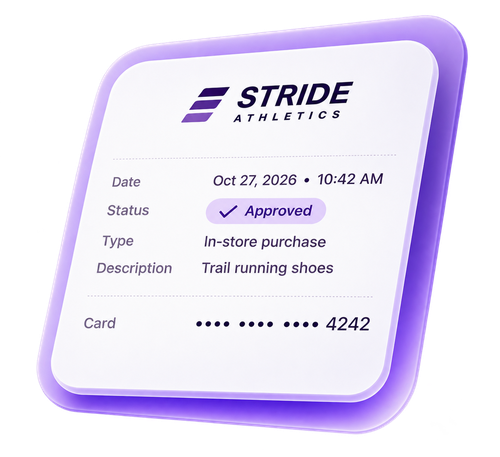

Receipts that carry the merchant’s brand
Their logo, support line, order details, and a custom message on every card and ACH receipt.
Try it · Settings › Receipts
Applies to Virtual Terminal, Hosted Payment Pages, Invoicing, Billing Plans and the Payments API.
MID
Save applies to this MID. Save for All MIDs replaces per-MID customizations.
Philadelphia, PA 19106(215) 555-0142
support@strideathletics.example
Total$123.60
What you can set
- Logo: their brand at the top of every receipt.
- Support line: customers call the merchant first.
- Order details: what was bought, not just an amount.
- Custom message: a thank-you, policy, or promo.
Why it matters
Fewer disputes and questions about charges. Customers recognize who they paid and for what. Use one design for every MID or a different one for each, and check it in the live preview before it goes out.

ACH Credits: send funds, don’t just collect
Send funds directly to vendors, contractors, and other payees from the same place you already take payments. No separate tools required.
Available on Run Merchant Virtual Terminal and Payments API.

Try it · Virtual Terminal, ACH tab
Credit: sends funds to the account you enter. Pay a vendor, a contractor or any payee.
Through the API
One field on an ACH charge request
// ACH charge request
{
  "credit_or_debit": "credit",
  …
}
Where it fits
- Paying vendors and suppliers
- A merchant settles a supplier invoice by bank transfer right from the Virtual Terminal.
- Contractor and payee payouts
- Businesses that pay contractors or other payees can send those payments without leaving RUN.
- Platforms that disburse funds
- Software partners can trigger payouts in their own product through the Payments API.
Stop polling. Know instantly.
With webhooks, you get an alert the moment something changes. Stay on top of application status, payment refunds, chargebacks, and more in real time.
What you can do with it
- Software partners
- Mark an invoice paid in your platform the instant the payment captures, and update it automatically on a refund or void.
- Sales partners
- Know the moment a merchant signs, clears underwriting, or goes live, so you can follow up at the right time without refreshing a portal.
- Finance and support teams
- Reconcile funding as it happens and catch chargebacks early, so merchants hear from you first.
How it works
- Pick your destinationProvide your endpoint URLs and the events you want to subscribe to.
- Verify every messageEach message carries a security signature, so your system can confirm it really came from RUN.
- Nothing gets lostIf your server is down, we keep retrying, up to 8 times.

Set the split and lock it in
Set a merchant’s In Person, Online Shopping and Key Entered split once, and it stays locked while the application is signed. Built for software partners: when a MID runs through one application, you already know exactly how that account takes payments.
Try it · Merchant application
Total 100%
Locks the split during application signing. Must total 100%.
The split has to total 100% before you can lock it.
Switch to Merchant view to see what the merchant gets when they review the application.
Why it matters
- Made for software partners. When a MID is tied to one software application, the split is known before the application goes out. Set it once, even as a template default, and every account boards with the right numbers.
- Fewer boarding snags. A transaction type that doesn’t match how the account really takes payments can trigger underwriting flags and slow boarding. A locked split keeps it accurate from the start.
How it works
- Set the split on the application.It must total 100%.
- Check the box.The split is locked for signing. Uncheck it anytime to reopen it.
- Also available with Application Templates or Run Developer’s Boarding API.

Ready to RUN?
See what RUN can do for your business. One platform: Run Partner, Run Merchant and Run Developer.
Get started